Ask for the reviewbefore you leavethe driveway.
Turn every completed job into a natural opportunity for more Google reviews. Your technician shows the customer a branded QR code before they leave; scanning it opens the same review page you can try below. Personalize the live demo, tap through the customer flow, and see the scans, Google review clicks, private feedback, and technician activity that appear in your dashboard.
Live product interfaceSafe demo mode
 Demo Business
This week
Owner dashboard
Demonstration data
Activity by technician
QR sourceScansGoogle clicksFeedback
MBMain business QR951
JLJordan Lee741
TBTaylor Brooks631
CMChris Morgan531
ARAlex Rivera420
Interactive demoTap a button
No customer app required
Track every review click
Five technicians included
Month-to-month billing
See Repmation in action
Follow one job from done to review.
See exactly what happens after a job is completed—from the technician's QR handoff to the customer's choice and the activity signal the owner sees. Customers can choose to leave a review or send private feedback.
01JOB COMPLETE
The work is finished.
The best review opportunity starts while the completed job is still fresh and the technician is still there.

One completed job. One natural moment to ask.
02SHOW THE QR
One simple habit before the truck leaves.
The technician opens the assigned Repmation QR card and shows it to the customer.
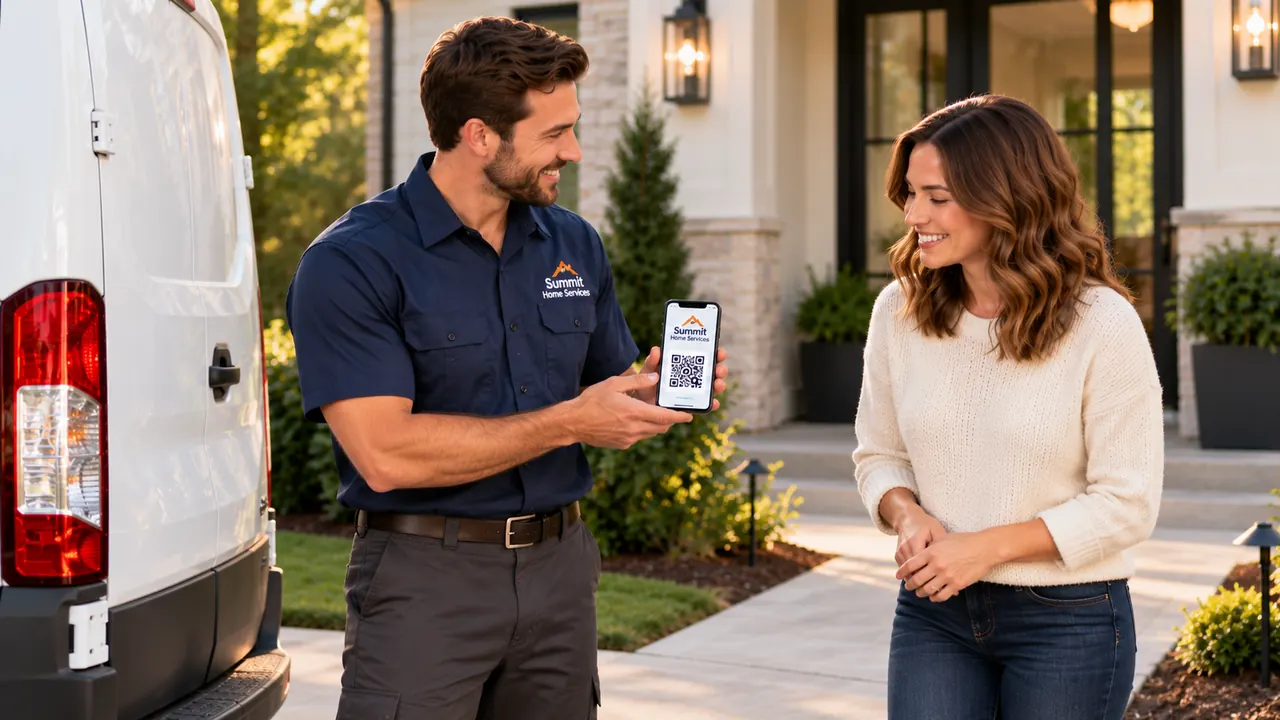
A simple handoff starts with one scan.
03CUSTOMER SCANS
The handoff takes seconds.
The customer points their camera at the QR code. The branded Repmation page opens directly in the browser.
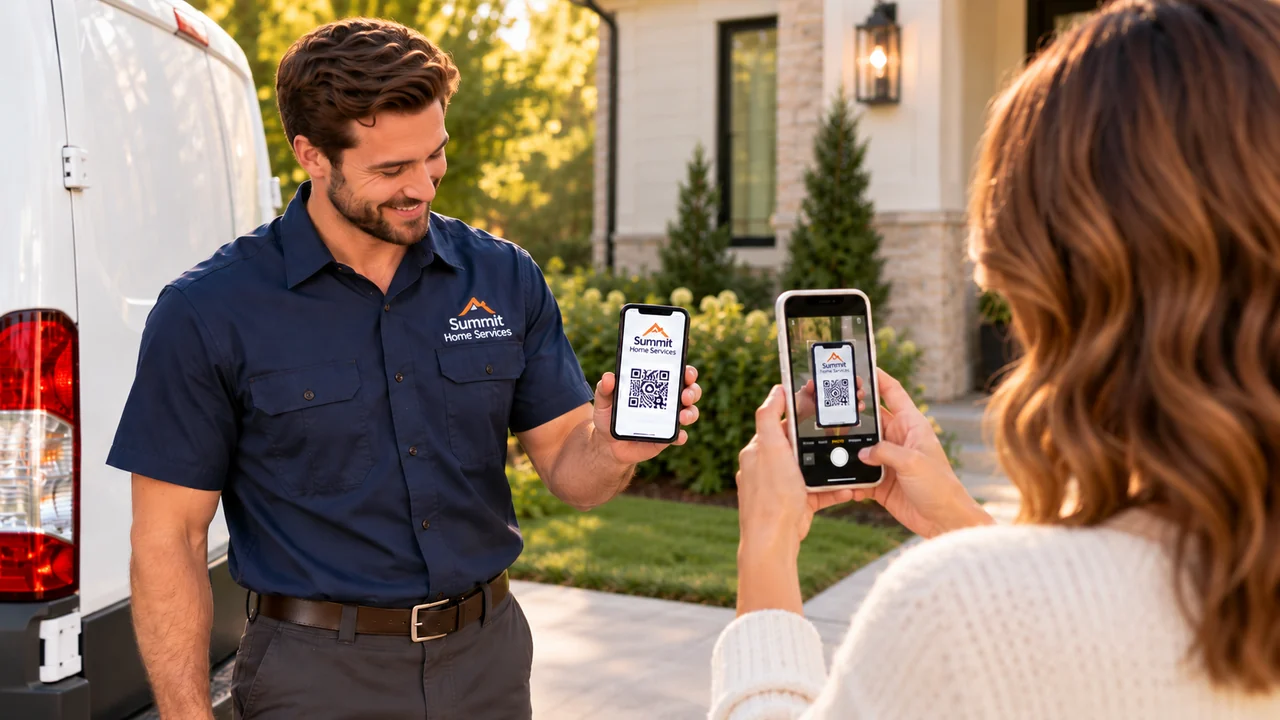
The customer gets to the review page in seconds.
04BRANDED LANDING PAGE
One page. Two honest choices.
The customer can open the business's Google review destination or send private feedback. Both choices remain available to every customer.
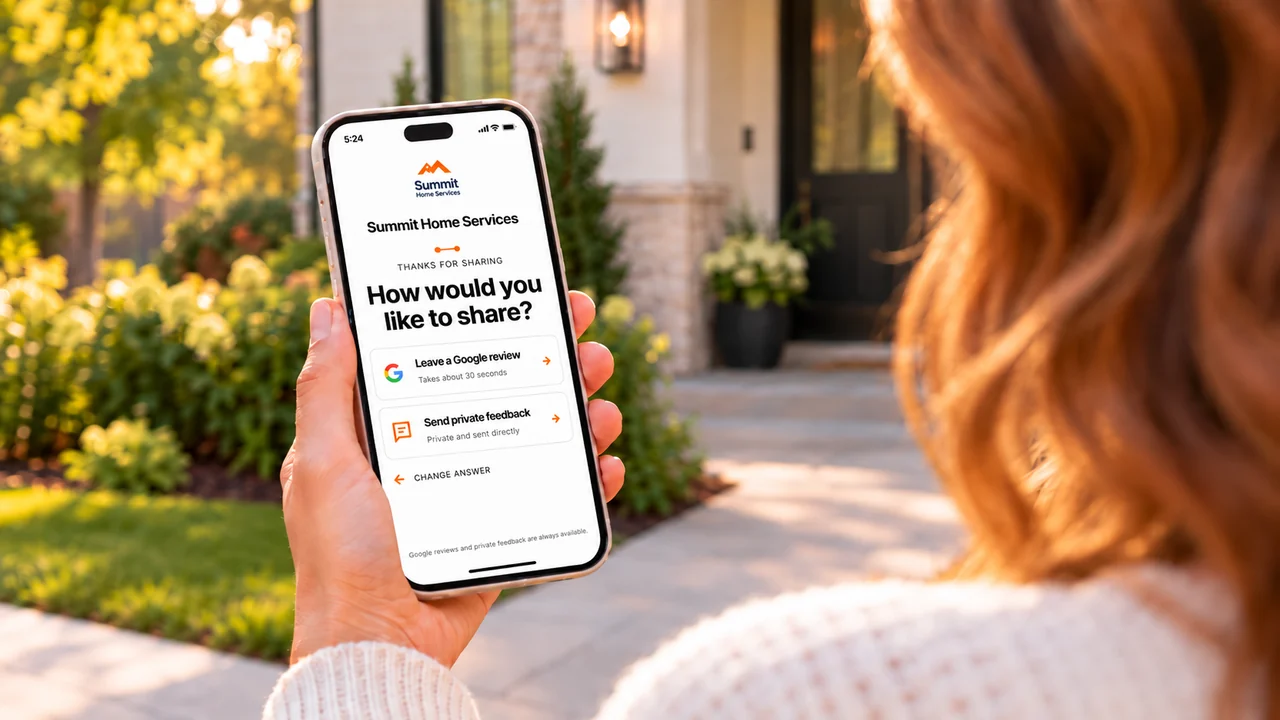
A branded page guides the customer to the right next step.
05OWNER SEES THE SIGNAL
The customer action becomes visible.
Repmation brings QR activity, Google review clicks, private feedback, and technician attribution back to the owner.
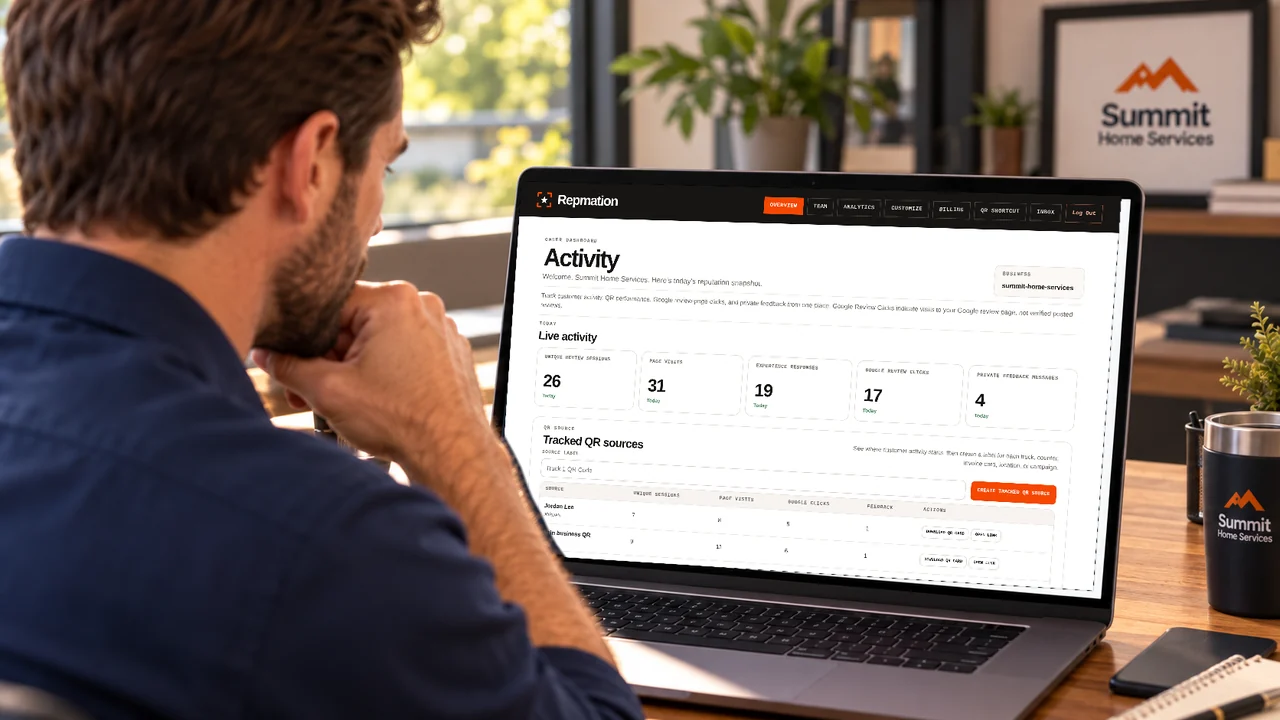
The owner sees the signal without interrupting the workflow.
One fair flow for every customer.Google review access and private feedback remain available to every customer. Repmation does not gate public-review access based on sentiment and is independent from Google.
Customer results + case studies
Different businesses. One better handoff.
Five real service businesses, one 90-day lens. Compare review growth with Repmation review-page activity and private feedback while keeping those measurements separate.
1 / 5
Swipe to see all 5 cases
Customer case studyResidential HVAC
Cool Care HVAC
4-technician team · 90-day results
74 new Google reviews in 90 days. 62 more than the prior period.
Cool Care HVAC used Repmation to make the review handoff a consistent part of its completed-job workflow.
Read the 90-day results
The previous 90 days.
Cool Care HVAC added 12 new Google reviews in the previous 90 days.
The next 90 days with Repmation.
The four-tech team used Repmation to make the review handoff part of its customer workflow and to track review-page activity and private messages. Every customer could open the Google review page or send private feedback. Both choices stayed available to everyone, regardless of sentiment.
The result.
76 Google review-page clicks and 8 private messages were recorded in Repmation during the same 90-day period.
62 more Google reviews than the previous 90 days, with the same four-technician team.
The 74 new Google reviews and prior-period count of 12 are business-profile results reported for the two respective 90-day periods. The 76 review-page clicks and 8 private messages are Repmation activity for the latest 90-day period. Review-page clicks do not prove that a review was posted, so the metrics are presented separately. Google review counts are a separate business-profile check, not a Repmation dashboard metric. Clicks are not proof of posted reviews.
Real customer results for this 90-day period. Google review counts and Repmation activity are measured separately. Results vary and are not guaranteed.
Customer case studyElectrician
Callaway Electric Services
2-technician team · 90-day results
48 new Google reviews in 90 days. 29 more than the prior period.
Callaway Electric Services used Repmation to make the review handoff a consistent part of its completed-job workflow.
Read the 90-day results
The previous 90 days.
Callaway Electric Services added 19 new Google reviews in the previous 90 days.
The next 90 days with Repmation.
The two-tech team used Repmation to make the review handoff part of its customer workflow and to track review-page activity and private messages. Every customer could open the Google review page or send private feedback. Both choices stayed available to everyone, regardless of sentiment.
The result.
49 Google review-page clicks and 2 private messages were recorded in Repmation during the same 90-day period.
29 more Google reviews than the previous 90 days, with the same two-technician team.
The 48 new Google reviews and prior-period count of 19 are business-profile results reported for the two respective 90-day periods. The 49 review-page clicks and 2 private messages are Repmation activity for the latest 90-day period. Review-page clicks do not prove that a review was posted, so the metrics are presented separately. Google review counts are a separate business-profile check, not a Repmation dashboard metric. Clicks are not proof of posted reviews.
Real customer results for this 90-day period. Google review counts and Repmation activity are measured separately. Results vary and are not guaranteed.
Customer case studyPlumber
Integrity Plumbing Solutions
6-worker team · 90-day results
57 new Google reviews in 90 days. 31 more than the prior period.
Integrity Plumbing Solutions used Repmation to make the review handoff a consistent part of its completed-job workflow.
Read the 90-day results
The previous 90 days.
Integrity Plumbing Solutions added 26 new Google reviews in the previous 90 days.
The next 90 days with Repmation.
The six-worker team used Repmation to make the review handoff part of its customer workflow and to track review-page activity and private messages. Every customer could open the Google review page or send private feedback. Both choices stayed available to everyone, regardless of sentiment.
The result.
62 Google review-page clicks and 8 private messages were recorded in Repmation during the same 90-day period.
31 more Google reviews than the previous 90 days, with the same six-worker team.
The 57 new Google reviews and prior-period count of 26 are business-profile results reported for the two respective 90-day periods. The 62 review-page clicks and 8 private messages are Repmation activity for the latest 90-day period. Review-page clicks do not prove that a review was posted, so the metrics are presented separately. Google review counts are a separate business-profile check, not a Repmation dashboard metric. Clicks are not proof of posted reviews.
Real customer results for this 90-day period. Google review counts and Repmation activity are measured separately. Results vary and are not guaranteed.
Customer case studyResidential roofing
Peak Roofing
3 crews · 6 workers per crew · 90-day results
91 new Google reviews in 90 days. 46 more than the prior period.
Peak Roofing used Repmation to make the review handoff a consistent part of its completed-job workflow.
Read the 90-day results
The previous 90 days.
Peak Roofing added 45 new Google reviews in the previous 90 days.
The next 90 days with Repmation.
The roofing team used Repmation to make the review handoff part of its completed-job workflow and to track review-page activity and private messages. Every customer could open the Google review page or send private feedback. Both choices stayed available to everyone, regardless of sentiment.
The result.
97 Google review-page clicks and 12 private messages were recorded in Repmation during the same 90-day period.
46 more Google reviews than the previous 90 days, with the same three-crew operation.
The 91 new Google reviews and prior-period count of 45 are business-profile results reported for the two respective 90-day periods. The 97 review-page clicks and 12 private messages are Repmation activity for the latest 90-day period. Review-page clicks do not prove that a review was posted, so the metrics are presented separately. Google review counts are a separate business-profile check, not a Repmation dashboard metric. Clicks are not proof of posted reviews.
Real customer results for this 90-day period. Google review counts and Repmation activity are measured separately. Results vary and are not guaranteed.
Customer case studyHome Remodeling
Heritage Home Remodeling
4 crew members · 90-day results
9 new Google reviews in 90 days. 8 more than the prior period.
Heritage Home Remodeling used Repmation to make the review handoff a consistent part of its completed-job workflow.
Read the 90-day results
The previous 90 days.
Heritage Home Remodeling added 1 new Google review in the previous 90 days.
The next 90 days with Repmation.
The four-person crew used Repmation to make the review handoff part of its customer workflow and to track review-page activity and private messages. Every customer could open the Google review page or send private feedback. Both choices stayed available to everyone, regardless of sentiment.
The result.
12 Google review-page clicks and 1 private message was recorded in Repmation during the same 90-day period.
8 more Google reviews than the previous 90 days, with the same four-person crew.
The 9 new Google reviews and prior-period count of 1 are business-profile results reported for the two respective 90-day periods. The 12 review-page clicks and 1 private message are Repmation activity for the latest 90-day period. Review-page clicks do not prove that a review was posted, so the metrics are presented separately. Google review counts are a separate business-profile check, not a Repmation dashboard metric. Clicks are not proof of posted reviews.
Real customer results for this 90-day period. Google review counts and Repmation activity are measured separately. Results vary and are not guaranteed.
Google review counts are business-profile results. Repmation review-page clicks and private messages are measured separately.
See the signal
See what happens after the scan.
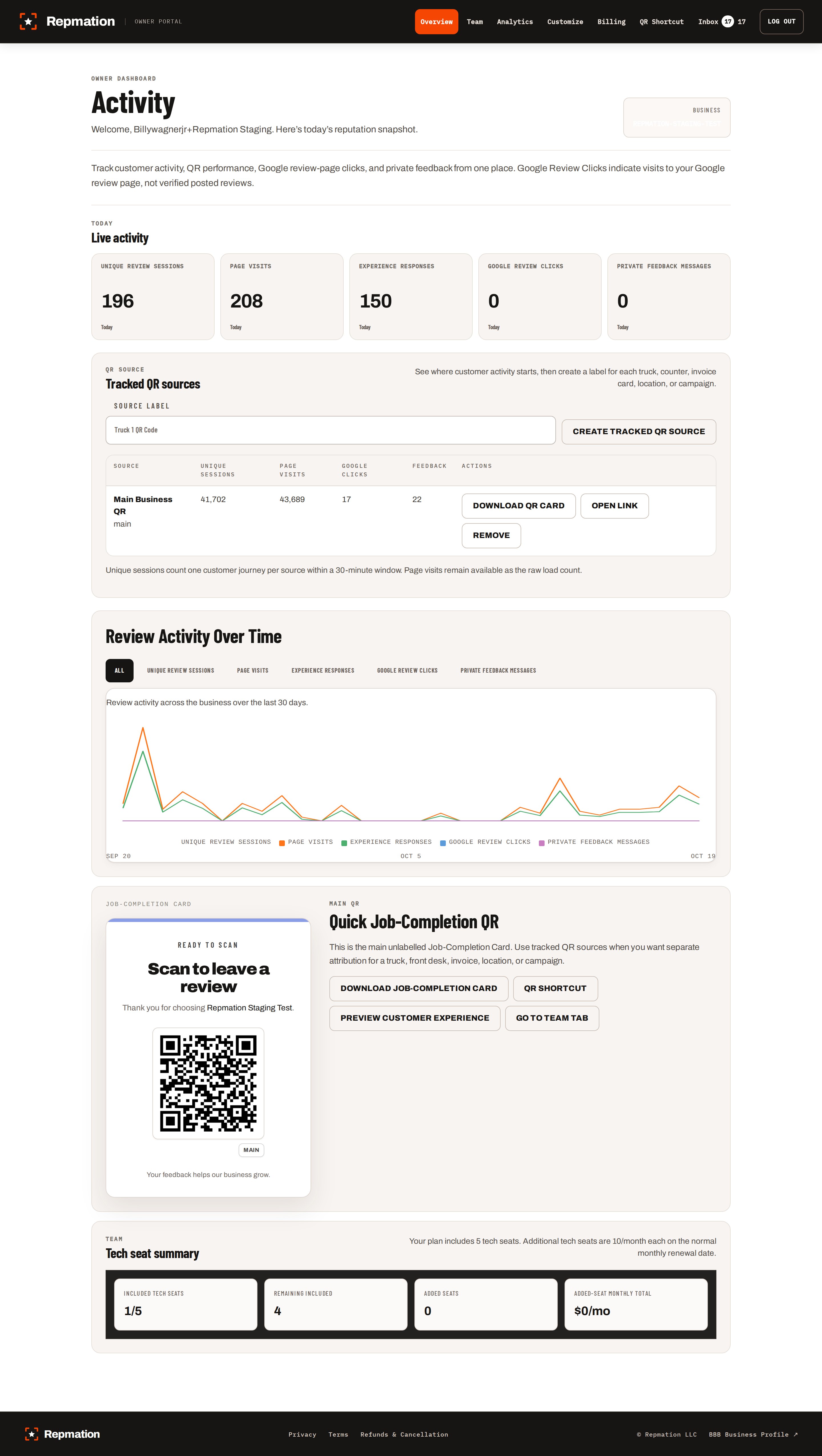
See QR visits, Google review clicks, and private feedback in one dashboard.
What the owner can see
Everything in one place.
See where activity starts
Track your main QR and technician-linked sources in one view.
Track honest signals
See QR sessions and Google review-page clicks, without presenting clicks as posted reviews.
Handle private feedback
Review and organize customer messages inside the owner dashboard.
Built for the whole handoff
A QR code starts the ask. Repmation carries it through.
The full journey is simple: one consistent technician ask, one clear customer choice, and one visible signal for the owner.
One branded QR handoff while the completed job is still fresh.
Google review access and private feedback stay available to every customer.
Review-page clicks, private messages, and technician attribution return to one operating view.
A standalone QR code opens a URL.Repmation turns that moment into one repeatable workflow from the field handoff to owner visibility.
Try the customer experience
Scan the same branded QR page your team uses.
Personalize the customer page with your business name and colors, then see what your customers experience.
Open the branded QR pageOne plan
One price. Five technicians. No long contract.
Everything needed to make the review ask part of the job—without making customers download an app or making owners decode a complicated plan.
Month-to-month
Five tech seats included
Setup support included
Cancel anytime
Repmation Review Engine
$99per month
cancel anytime
cancel anytime
Additional active technician seats are $10/month each.
- Personalized customer review page
- Main business QR and job-completion card
- Five technician QR seats
- QR visits and Google review click tracking
- Private customer feedback inbox
- Owner dashboard and team analytics
- Business profile and brand customization
- Setup support included
Questions before you start
A few quick answers.
Do customers need an app?
No. Customers simply scan the QR code and open your branded page in their browser.
Does Repmation guarantee Google reviews?
No. Repmation tracks visits and Google review clicks, not whether a review is posted.
Does every customer get the same options?
Yes. Every customer can choose Google reviews, private feedback, or both.
What happens after signup?
Set up your business page, review link, and QR codes. Setup support helps you get started.